

Video Equipment
Modern video workflows depend on more than cameras alone. In broadcast, inspection, research, content production, and signal distribution environments, teams often need a reliable mix of capture, conversion, monitoring, recording, processing, and transport tools to keep image quality stable from source to output. This is where Video Equipment becomes a practical category: it brings together the core hardware and supporting platforms used to build and maintain professional video systems.
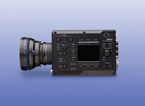
Where video equipment fits in a professional workflow
In technical and industrial environments, video infrastructure is rarely a single device. A complete chain may include image acquisition, signal routing, recording, monitoring, format conversion, workstation-based processing, and network transmission. Selecting the right equipment depends on how video signals move through the system and what level of control, compatibility, and output quality is required.
This category is relevant for users building or expanding facilities that handle high-resolution imaging, real-time review, multi-format delivery, or IP-based transport. It also supports applications where stable signal handling is essential, such as production control rooms, imaging labs, test environments, and advanced AV systems.
Core equipment types in this category
The scope of video equipment typically covers devices used to acquire, store, display, convert, and distribute moving images. Examples include 8K cameras, video recorders, monitors, viewfinders, converters, transmission devices, codecs, workstations, and IP gateways. Each plays a different role in the overall chain, and system performance depends on how well these elements work together.
Some products are focused on image creation and review, while others are built for signal processing or infrastructure support. A converter, for example, helps bridge different video formats or interfaces, while a workstation may be used for editing, rendering, or operational control. Equipment such as rasterizers, frame memory boards, and multi processors can serve more specialized needs in measurement, image handling, or real-time processing workflows.
Common application scenarios
Professional video equipment is used across many sectors, not only in traditional broadcasting. Engineering teams may use video devices to capture and assess high-resolution output during testing. Production teams may need reliable recorders, monitors, and codecs to support live or post-production workflows. Facilities working with advanced displays or high-bandwidth content may also require dedicated hardware for 8K processing and distribution.
As workflows become more interconnected, interoperability matters just as much as image quality. Devices such as IP gateways and transmission equipment help move video between local hardware and network-based environments. Where audio must remain synchronized with picture, users may also review related audio equipment for video systems to support a more complete signal chain.
How to choose video equipment for your system
A good starting point is to define the role of the device in your workflow. Are you capturing source material, converting formats, monitoring output, or transporting signals between systems? Clarifying the operational purpose helps narrow the selection and prevents over-specifying products that add complexity without improving results.
Next, evaluate the practical requirements around resolution, interface compatibility, processing load, and deployment environment. High-resolution systems may need equipment designed for large data throughput, while mixed environments may depend on flexible conversion and codec support. If your workflow also includes validation, troubleshooting, or signal quality checks, it may be useful to explore video measuring and analysis equipment alongside operational devices.
Physical integration is another important factor. Rack space, connectivity, operator access, display needs, and software interaction can all influence device selection. For larger systems, choosing equipment that fits a clear architecture often matters more than focusing on one specification in isolation.
Signal handling, conversion, and monitoring considerations
Many video environments combine multiple formats, resolutions, and transmission methods. This creates a need for signal conversion and stable monitoring at several points in the chain. Converters, codecs, and transfer devices help maintain compatibility between sources, displays, recorders, and downstream systems, especially when legacy and newer formats must coexist.
Monitoring devices also play a central role in operational confidence. A monitor or viewfinder is not simply a display surface; it supports framing, confirmation, and decision-making in real time. In more demanding systems, rasterizers and multi processors can assist with image handling and output management, helping users maintain consistency across multiple destinations.
Supporting high-resolution and advanced video environments
As 8K and other high-bandwidth workflows become more common, video equipment must support larger data volumes and more demanding processing paths. Cameras, recorders, workstations, and content tools used in these environments should be considered as part of an ecosystem rather than as standalone items. This is especially important when moving from acquisition to editing, conversion, review, and final delivery.
Software-related elements, such as up-convert tools, may also be part of the workflow when users need to adapt content for different display or distribution requirements. In these cases, the best results usually come from planning the full path of the signal, including storage, processing, playback, and transmission, rather than choosing each component independently.
Building a more complete video infrastructure
When selecting from a broad video equipment range, it helps to think in terms of workflow continuity. Source devices, processing hardware, display tools, and network transport should support the same operational goals. A well-structured setup can improve reliability, reduce conversion issues, and make future expansion easier.
Users comparing options within this category may also want to review related solutions in the wider video analyzing equipment landscape, especially when the project includes testing, verification, or system-level evaluation. For organizations handling both production and assessment tasks, this broader view can make purchasing decisions more consistent.
Choosing with long-term usability in mind
In B2B environments, video systems are often expected to remain usable across changing formats, workflows, and facility requirements. That makes compatibility, maintainability, and expansion potential important selection criteria. A device that fits well into current operations while leaving room for future upgrades usually delivers better long-term value than a narrowly optimized component.
This category brings together the practical building blocks used in professional video chains, from acquisition and monitoring to conversion, recording, and transmission. By matching equipment choice to workflow purpose, signal path, and operational scale, buyers can create a more dependable and efficient video environment. For users comparing adjacent options, the related video equipment range should be assessed in the context of the entire system rather than as isolated products.
Types of Video Equipment
- 8K Camera (Video)
- 8K Contents (Video)
- Codecs (Video)
- Converter (Video)
- Frame Memory Board (Video)
- Inserter (Video)
- IP Gateway (Video)
- Monitor (Video)
- Multi processor (Video)
- Multi-platform (Video)
- Rasterizer (Video)
- Transmission Device (Video)
- Up-Convert Software (Video)
- Video Recorder
- Video Transfer box
- Viewfinder (Video)
- Workstation (Video)
-
-
-
-
-
-
-
-
-
-
-
-
-
-
-
-
-
-
-
-
-
-
-
-